Regional Dashboard
The Regional Dashboard gives you a bird's-eye view of every ship in your region — health indicators, pending actions, membership status, and SFDPP compliance across your entire fleet.
Go to Regional Dashboard in the left navigation. This option only appears if you hold a regional role (RC, VRC, RCOS, or RAO).
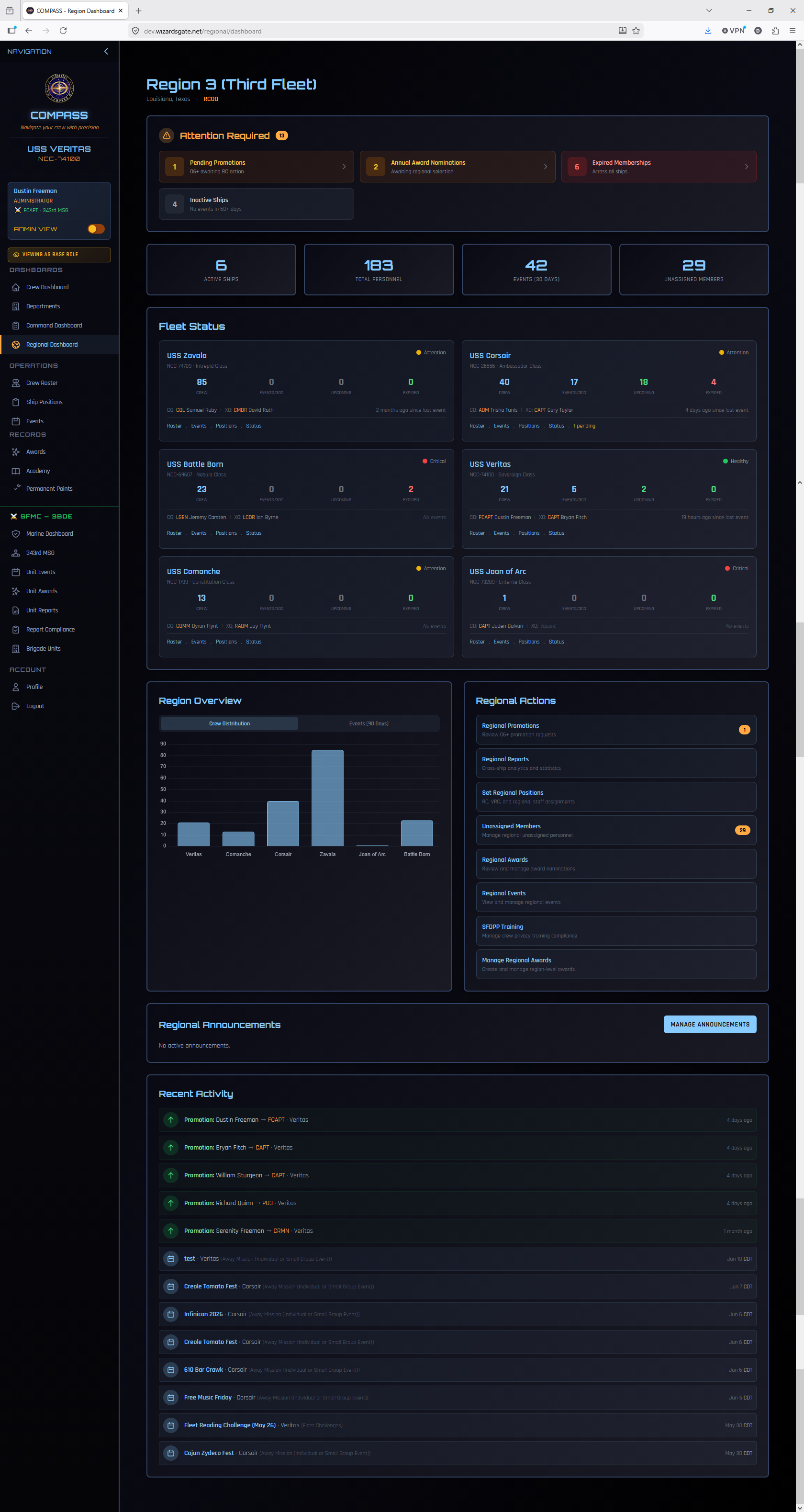
What You'll See
Ship Health Overview
A card or table for each ship in your region showing:
- Ship name and registry
- Active crew count
- Recent event activity
- Pending promotions or awards requiring your attention
- SFDPP compliance status
- Any ships flagged as needing attention
Ships with pending items show a badge count so you know at a glance where action is needed.
Pending Actions
A consolidated queue of all promotions and award nominations from every ship in your region that are waiting for your review. This is your primary daily working view as RC — clear this queue regularly to keep workflow moving for your COs.
Region-Wide Membership Expiration
An overview of membership expiration across all ships — who is expiring soon, region-wide. Use this to prompt COs to follow up with members before they lapse.
SFDPP Compliance
A region-wide view of SFDPP compliance for all role holders across all ships. Any ship with non-compliant command staff will be flagged here.
Navigation in Regional View
When you have both a ship CO role and an RC role, the left navigation shows both Command Dashboard and Regional Dashboard. These are completely separate views:
- Command Dashboard → your ship only
- Regional Dashboard → all ships in your region
The ship displayed in the sidebar header reflects whichever context you're currently working in. You can switch between them freely without losing your place.