Approving Unassigned Member Promotions
Members who are not on a chapter roster in COMPASS — unassigned members — can request their own promotions. Under MHB Section 02:09 you may promote unassigned members up to O-6, so these requests come to you rather than to a CO.
This page walks through reviewing and approving one. For ship promotions and flag nominations, see Promotions (RC). For what the member sees, see Requesting a Promotion (Unassigned Members).
How Requests Reach You
A member's request lands in O6 & Below Pending Approval on your Regional Promotions page. The section holds everything you approve directly — enlisted, cadet and junior officer requests from unassigned members as well as Captain promotions from ships.
You can tell a self-request at a glance:
- Ship is Unassigned
- Submitted By is the member themselves
- From Rank may read Unranked for a member who has never held a rank
- CO Recommendation is empty — unassigned members have no CO
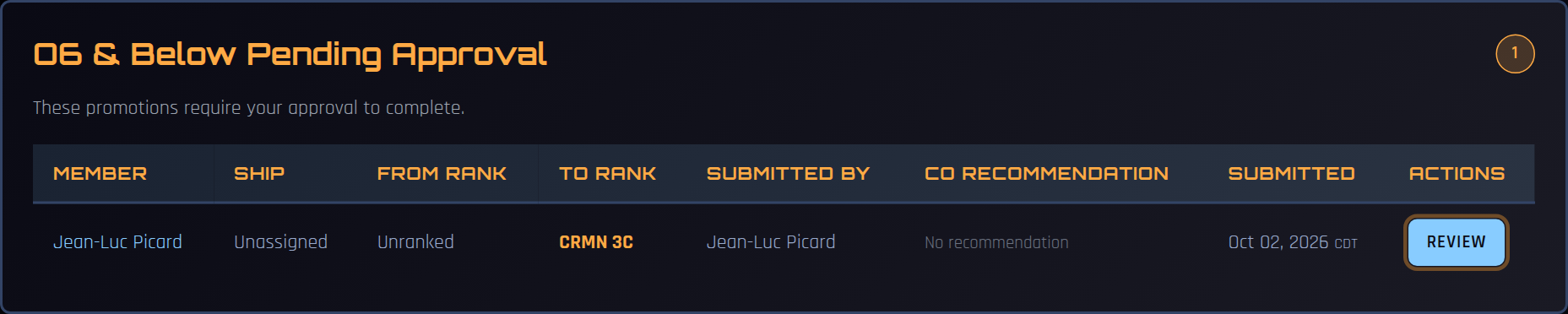
Select Review on the row.
Reviewing the Request
The review panel shows the member, the rank they are requesting, their points, the promotion date, and the supporting notes they wrote themselves. There is no CO recommendation section for a self-request.
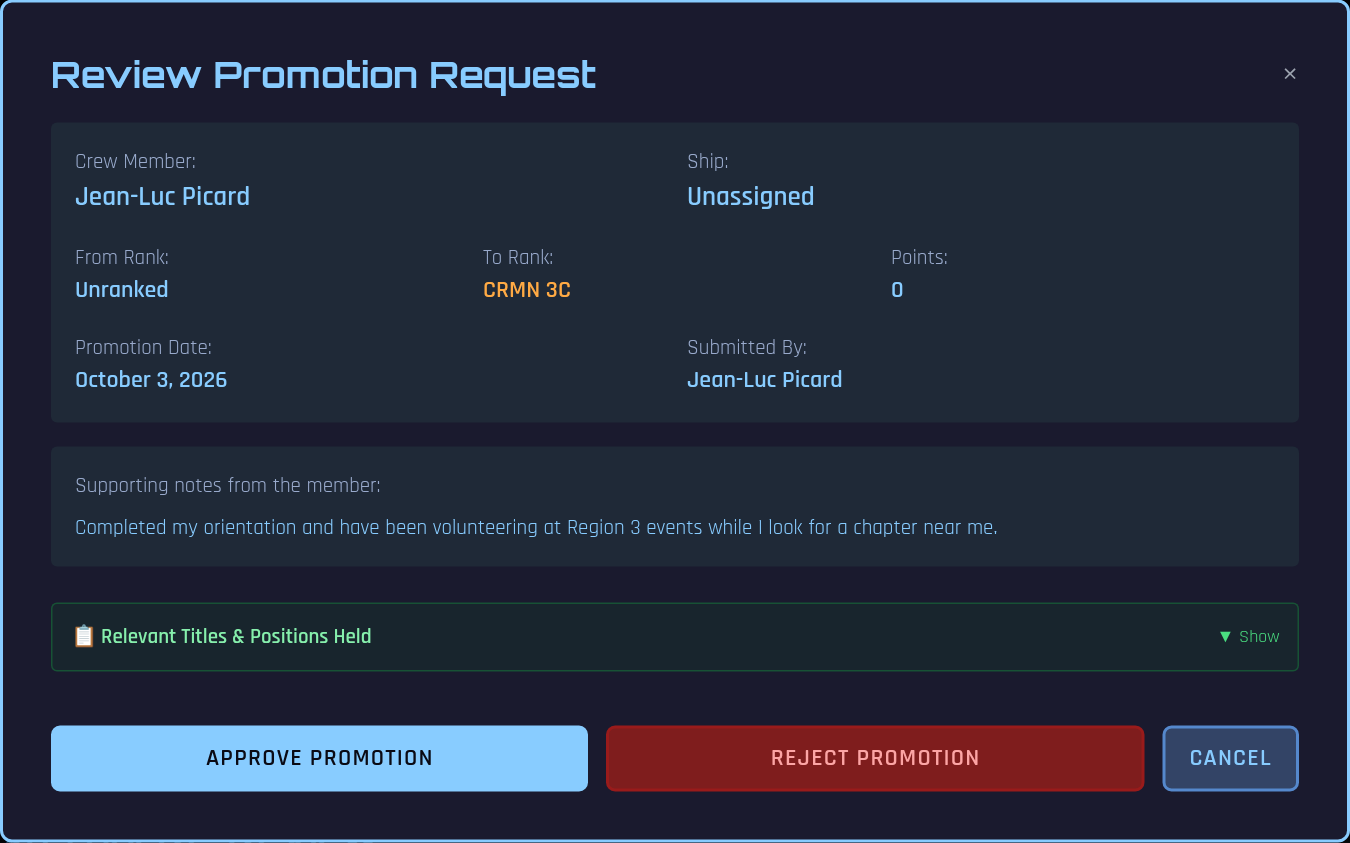
COMPASS has already limited what the member could ask for: the next rank on their own track, no higher than O-6. An unranked member chooses their track with their first rank — CRMN 3C (Fleet), CRR (Fleet Reserve) or PVT (SFMC) — or CZN.
Approving
Select Approve Promotion, add optional notes, and confirm with Approve Promotion.
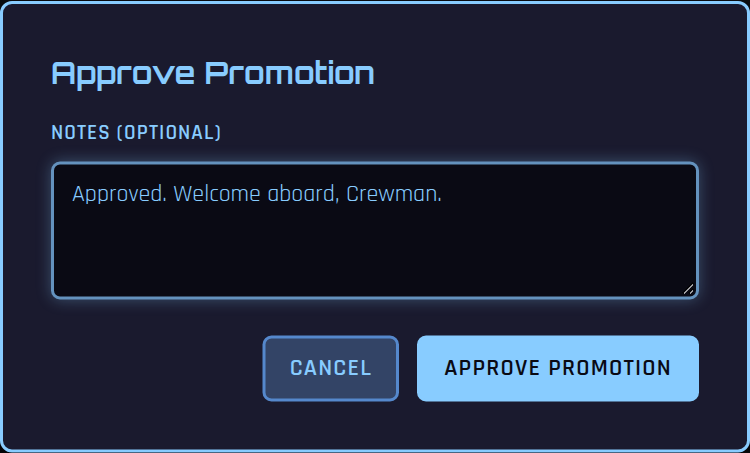
The member's rank updates in COMPASS straight away and they are notified.
Rejecting
Select Reject Promotion and enter a reason (required). The request leaves your queue, and the member is notified by email and push notification with your reason — so write it for them to read.
Recording It in the SFI Database
After approving, a Promotion Recorded prompt appears in the corner of the page:
- Submit Directly sends the new rank to db.sfi.org for you.
- Open Manually opens the member's rank page on db.sfi.org so you can enter it yourself.
- Dismiss closes the prompt.
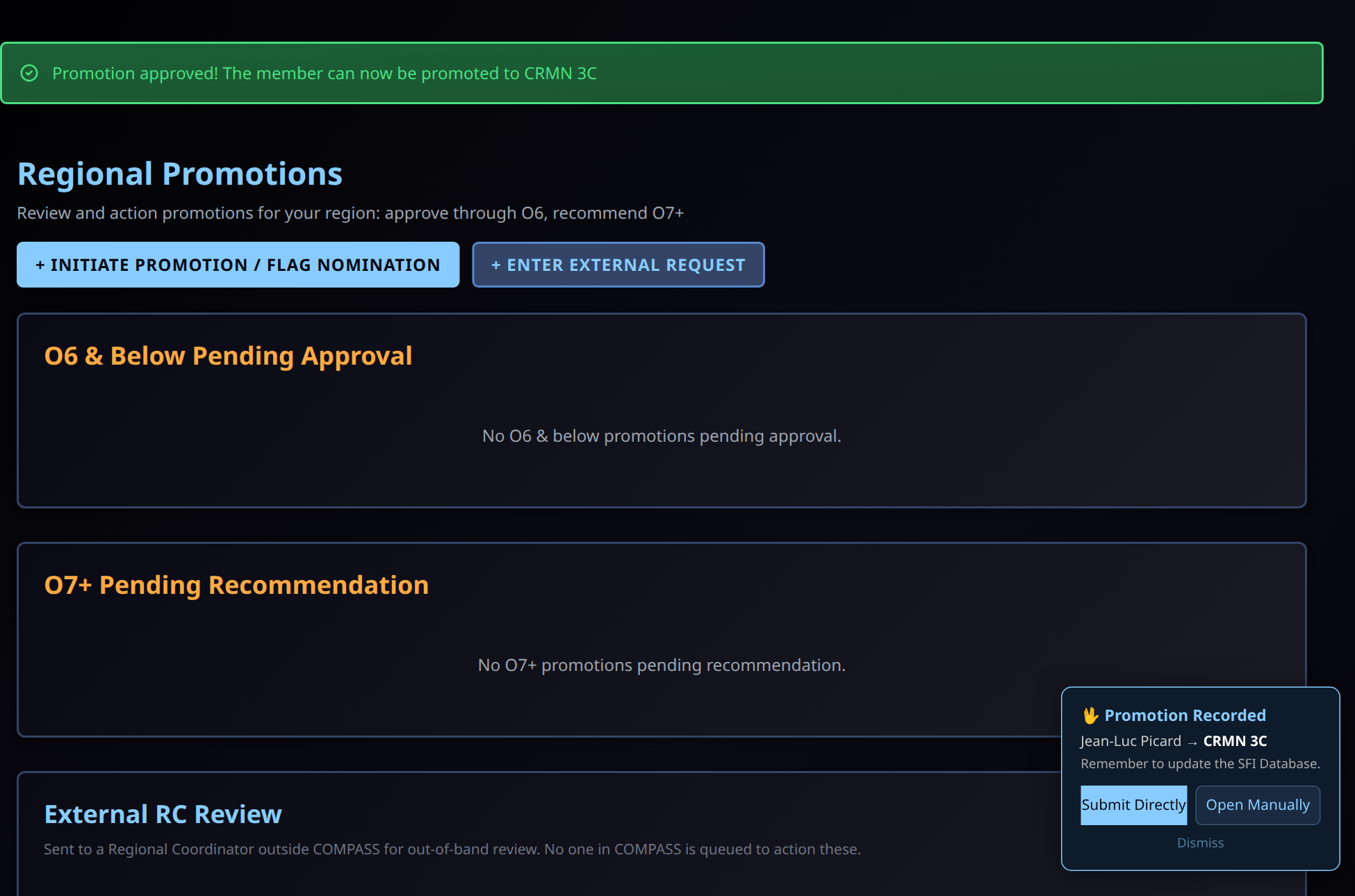
If you close the prompt without updating db.sfi.org, a reminder stays on your pages until you deal with it. The member is never asked to do this — it is your step.
If Your Region Has No RC in COMPASS
Requests from members in a region without an RC in COMPASS are emailed to the RC address the member enters (normally rc#@sfi.org). The email contains a secure review link where the RC can Approve or Reject without a COMPASS account. These requests appear under External RC Review on the Regional Promotions page so regional staff can see them.